How-to
How to Translate Code Files Without Breaking the Syntax
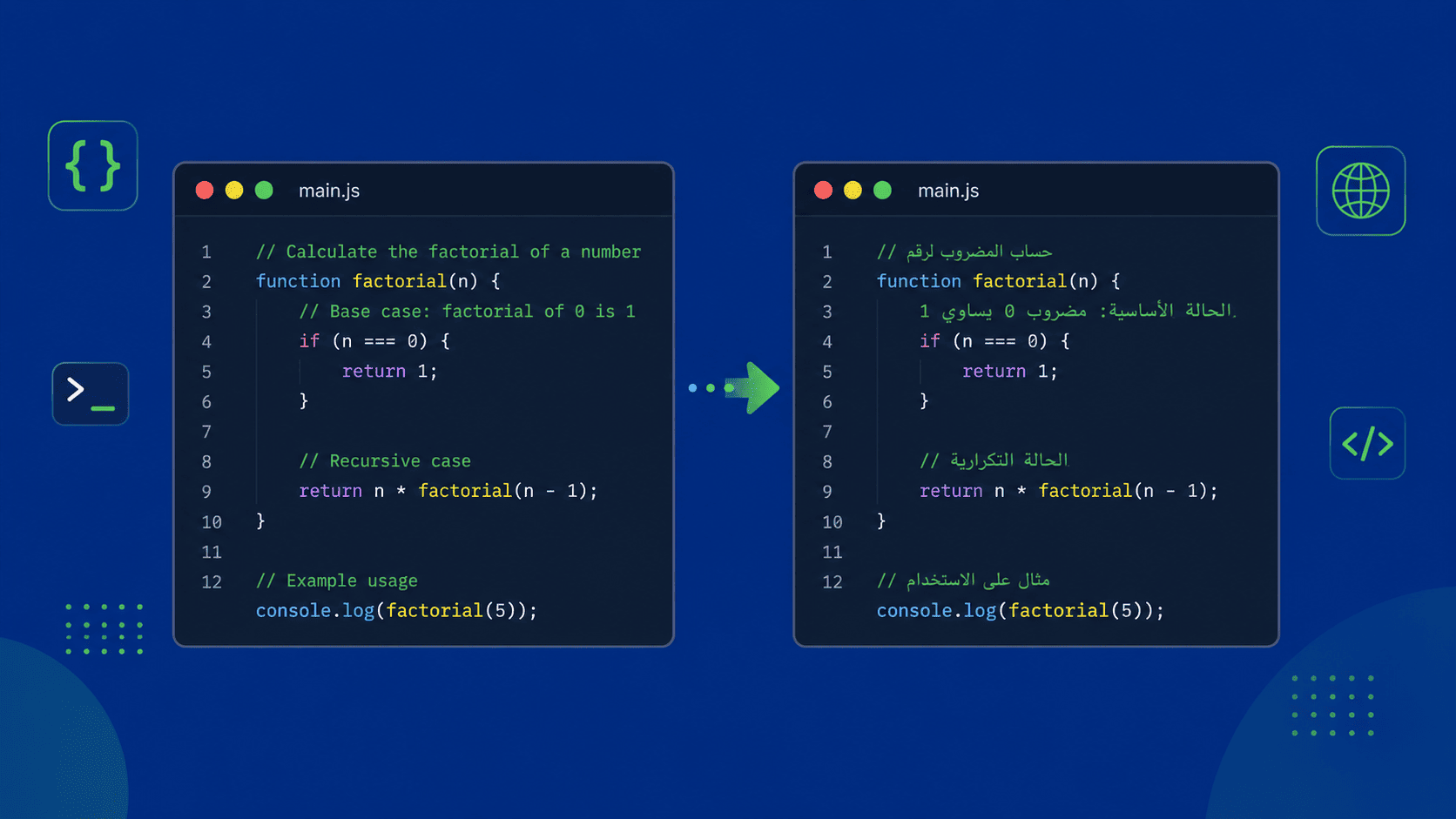
Inherited a codebase full of comments in a language you don't read? Here's how to translate the comments and text inside your source files while leaving the code itself untouched.
Updated July 29, 2026 · 5 min read
Picking up a project where every comment, variable note, and log message is written in a language you don't speak is a real productivity killer. You end up pasting fragments into a translator one line at a time — and hoping you don't accidentally mangle the code around them.
This guide shows you how to translate an entire source code file at once, so the comments and human-readable strings come back in your language while the syntax stays exactly as it was.
Which code files are supported
Code file translation runs on the Gemini engine, which understands code structure well enough to translate the text inside a file without touching the syntax around it. A wide range of languages and file types are supported, including:
- JavaScript & TypeScript —
.js,.ts,.jsx,.tsx - Python —
.py - Java, C, C++, C# —
.java,.c,.cpp,.cs - Go, Rust, Ruby, PHP —
.go,.rs,.rb,.php - Swift & Kotlin —
.swift,.kt - Web & config —
.html,.css,.scss,.json,.xml,.yaml,.md,.sql, and more
How to translate a code file
- 1
Choose your languages
Set the source language — the language the comments are currently written in — on the left, and the target language you want them translated into on the right. If you're not sure of the source language, you can leave detection to the engine.
- 2
Select the Gemini engine
Pick Gemini as your translation engine. This is the engine that supports code files and translates the text inside them while preserving syntax.
- 3
Upload your code file
Drag and drop your source file onto the page, or click to browse and select it from your computer. You can add more than one file if you have several to translate.
- 4
Translate
Click Translate and let it process. The comments, documentation, and human-readable strings are translated while the code structure stays intact.
- 5
Download your translated file
Once it's done, download the translated file. It keeps the same extension and structure as the original, so it drops straight back into your project.
Tips for the cleanest results
- Translate one language pair at a time — if a file mixes two spoken languages in its comments, results are cleaner when you handle them separately.
- Keep a copy of the original file. That way you can always diff the translated version against it to confirm only the text changed.
- For very large files, splitting them into smaller modules before translating gives you more reliable output and makes reviewing easier.
Frequently asked questions
Does translating a code file change the code itself?
No. The goal is to translate only the human-readable text — comments, documentation, and message strings. Keywords, function names, and syntax are left untouched so the file still runs as before. You should still review the output before committing it.
Which engine do I need for code files?
Code files are supported on the Gemini engine. Make sure Gemini is selected before uploading, otherwise your code file won't be recognized as a translatable file.
What programming languages are supported?
A wide range, including JavaScript, TypeScript, Python, Java, C, C++, C#, Go, Rust, Ruby, PHP, Swift, and Kotlin, plus web and config formats like HTML, CSS, JSON, XML, YAML, Markdown, and SQL.
Can I translate more than one code file at once?
Yes. You can upload multiple files in a single job rather than translating them one by one.
Will my variable and function names be translated?
No. Identifiers like variable and function names are part of the code's structure and are left as-is. Only the human-readable text such as comments and strings is translated.